 Leximus Commander
Instant startup
Opens in a fraction of a second and stays fast even in folders with thousands of files. Press the key — you're working.
A free classic file manager: two panels, keyboard-first workflow, tabs, archives, FTP/SFTP/WebDAV, folder compare and sync. Starts instantly.

Leximus Commander is a free orthodox (dual-pane) file manager of the classic school: everything at your fingertips and on your keyboard. Runs on Windows 10/11 and on Mac — the familiar F5/F6/F8, two panels, and no mouse required.
Opens in a fraction of a second and stays fast even in folders with thousands of files. Press the key — you're working.
Copy, move and navigate without a mouse. The familiar layout of classic dual-pane managers — your hands already know everything.
The same file manager on all your machines — same keys, same habits.
FTP, FTPS, SFTP and WebDAV — connect to servers like regular folders, no separate client needed.
No ads, no registration, no tracking. Your files and passwords stay on your machine.
Archives, search, folder compare, sync, viewer and editor — no extra utilities required.
The complete power-user toolkit — from tabs and archives to server-side grep over logs.
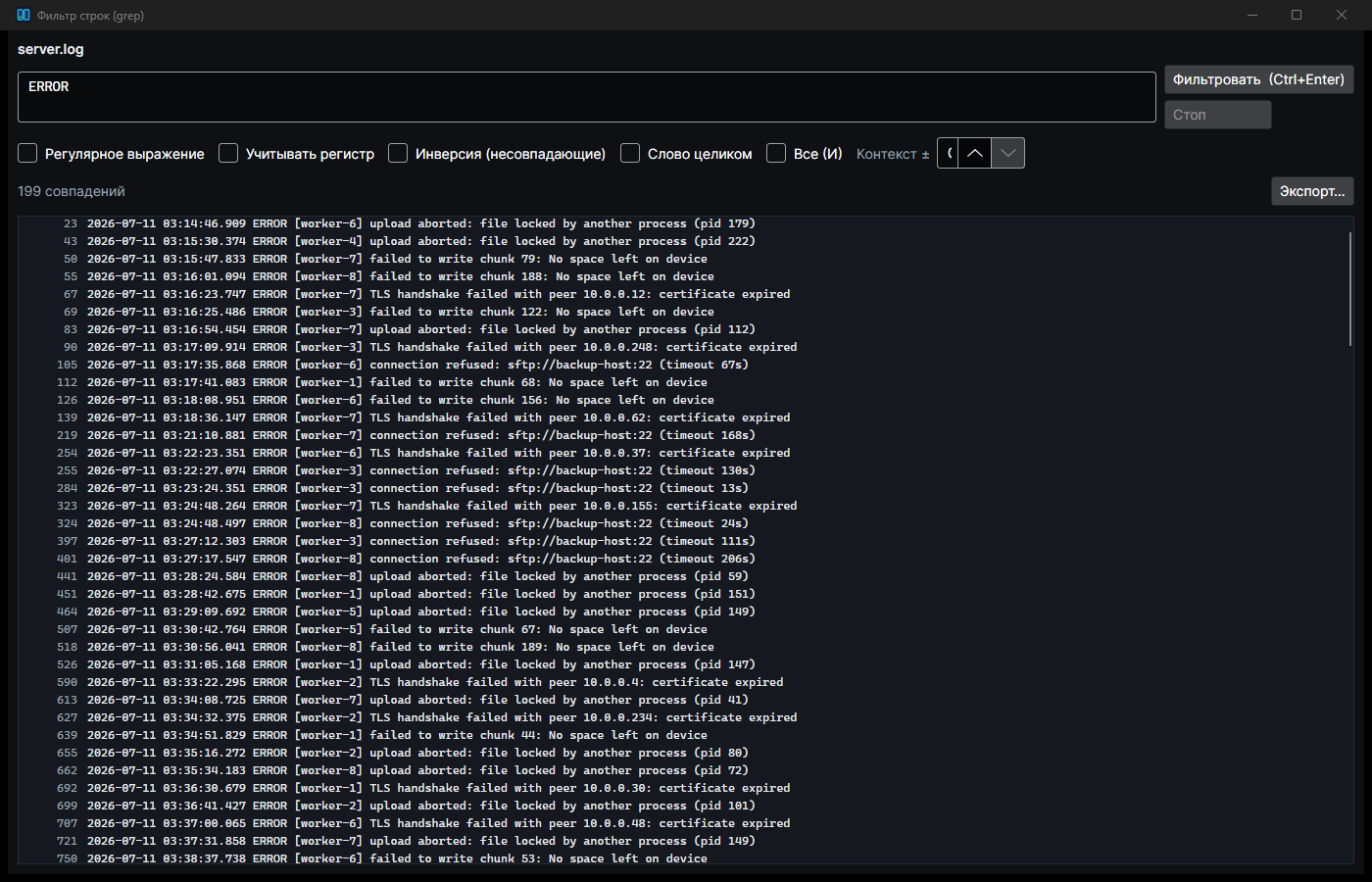
grep -CPress Ctrl+F3 — and instead of endless scrolling you see only the lines with the error. Works on files of any size, and for logs on a server the filter runs directly on the SSH server: only matches travel over the network, not the whole log.
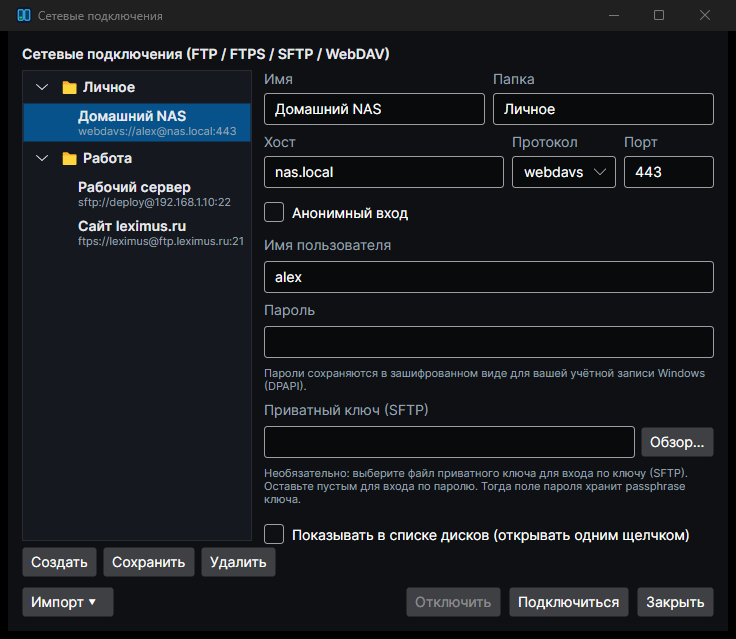
A server connection looks like a regular folder: copy files with F5, view with F3, edit with F4. Moving from WinSCP, PuTTY or FileZilla? Import your saved connections in one click.
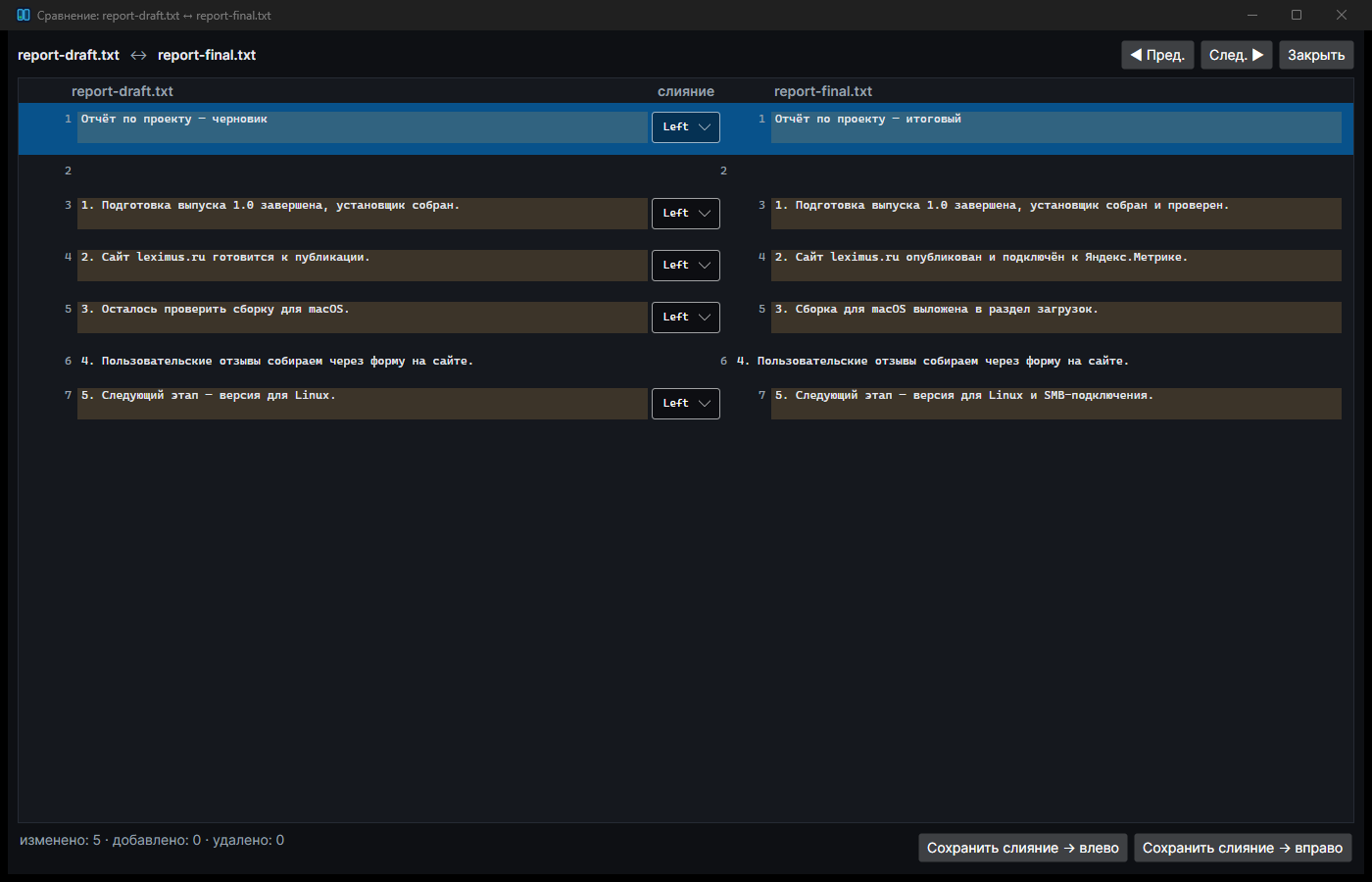
A folder-compare tool is already built in: find the differences between two directories, inspect file changes in a clear diff view, merge them, and keep your backup up to date.
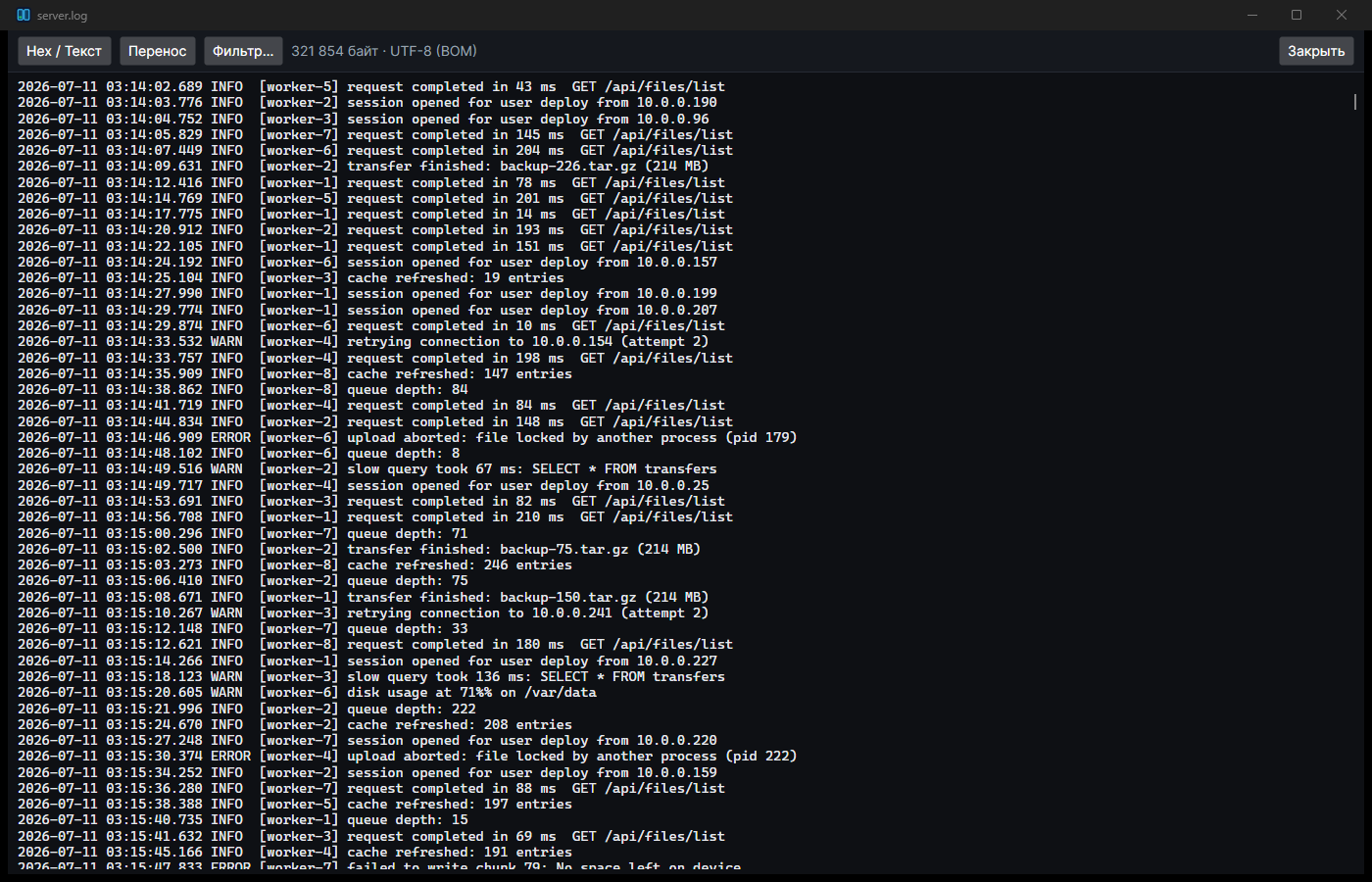
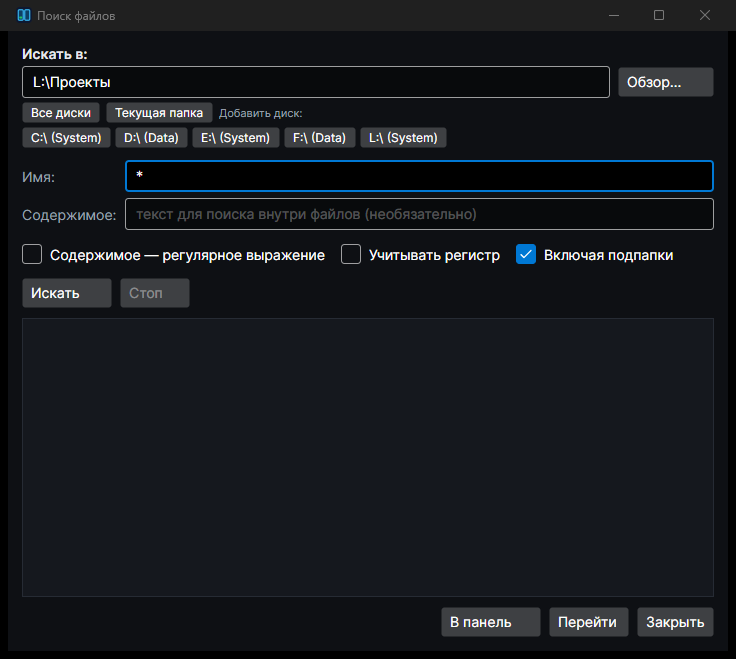
Panels, viewer, log filter, network, search — scroll through.
Version 1.0.0 · free for home and work · no ads, no registration
⬇ Download for Windows Installer · Windows 10/11 (64-bit)
Not your system? Pick a version from the table below.
| Platform | File | Size | SHA-256 | |
|---|---|---|---|---|
| Windows 10/11 (x64) Installer |
lcmd-setup-1.0.0.exe | 17.8 MB | 65dfc0d51ad0c3a380e32c0a0d753b254c815adee3d1840a517f171a1618c51f | Download |
| Windows 10/11 (x64) Portable |
lcmd-1.0.0-win-x64-portable.zip | 23.5 MB | 1065924d2be474b3a0874a0a5dc81457c40f8d534a14f15dd6be23781936cc3e | Download |
| macOS — Apple Silicon M1/M2/M3/M4 |
Leximus-Commander-1.0.0-arm64.dmg | 57.6 MB | 9541f4d90fab64a83fcb2d607cd50b73722fb5841e1e15a33c3f4b47b30d696b | Download |
| macOS — Intel x64 |
Leximus-Commander-1.0.0-x64.dmg | 59.4 MB | ed3c3ccfe37011117056d19d18eb6913aede1ab0d2b51c1d9de22628c3647f3c | Download |
Checksums for all files: SHASUMS256.txt · Linux is planned.
Installer: run lcmd-setup-1.0.0.exe and follow the prompts — the app appears in the Start menu and on the desktop. Uninstalls normally via Settings → Apps.
Portable: unpack the ZIP anywhere and run lcmd.exe. Nothing is written to the system — great for a USB stick.
Requirements: Windows 10 or 11, 64-bit. No additional runtimes needed.
If SmartScreen warns about an unknown publisher, click "More info" → "Run anyway". The app is new and publisher reputation builds over time; you can verify the checksums against SHASUMS256.txt.
Download the .dmg for your processor (Apple Silicon for M1–M4 Macs, Intel for older Macs), open the image and drag Leximus Commander into Applications.
If macOS says the app is from an unidentified developer:
xattr -dr com.apple.quarantine "/Applications/Leximus Commander.app"The warning appears because the app is not yet notarized with Apple — a formality, not a sign of danger. File checksums are published.
Windows (PowerShell): Get-FileHash lcmd-setup-1.0.0.exe -Algorithm SHA256
macOS (Terminal): shasum -a 256 Leximus-Commander-1.0.0-arm64.dmg
The value must match the table above or SHASUMS256.txt. By the way, Leximus Commander can compute SHA-256 checksums itself.
Yes. Leximus Commander is a completely free file manager: no trial period, no ads, no premium tier. Download it and use it.
It's completely free, runs on both Windows and macOS, starts in a fraction of a second, and adds signature extras: a server-side grep log filter, connection import from WinSCP/PuTTY/FileZilla, and a modern dark-theme interface. All the familiar habits are there — two panels, F5/F6/F8, tabs, archives, FTP — so if you've used a dual-pane manager before, you'll feel at home in five minutes.
Yes — builds for Apple Silicon (M1–M4) and Intel Macs, with the same dual-pane interface and shortcuts as on Windows. Get it in the Download section.
Yes, Windows 10 and Windows 11 (64-bit) are supported. No additional libraries or runtimes required — everything is bundled.
Yes: FTP, FTPS (encrypted), SFTP (over SSH) and WebDAV. A server opens like a regular folder — copy with F5, view with F3, edit with F4. Connections can be imported from WinSCP, PuTTY and FileZilla; passwords are stored encrypted.
Right-click the app → "Open" → "Open" (needed only once). Or remove the quarantine attribute in Terminal: xattr -dr com.apple.quarantine "/Applications/Leximus Commander.app". See the install guide for details.
Not for everyday use. If you need to look inside a protected system folder, Leximus Commander offers to open it with administrator rights (Windows) — and keeps working in the same window.
No. Leximus Commander works entirely locally: no telemetry, no account, no "phoning home". Network passwords are encrypted and stored only on your computer.
Leximus Commander evolves through user feedback — many features started as messages just like yours.
Or write directly: lcmd@leximus.ru